
Integrate Web Profiler for Zed
Edit on GitHubThe Web Profiler provides a toolbar for debugging and informational purposes. The toolbar is located at the bottom of a loaded page.
Spryker Profiler is based on Symfony Profiler. For details, see Profiler documentation.
Modules
The following modules provide the profiler functionality:
- WebProfilerWidget -
spryker/web-profiler - WebProfilerExtension -
spryker/web-profiler-extension
Installation
Install WebProfilerWidget and the extension module:
composer require spryker/web-profiler --dev
Integration
To be able to use Web Profiler, add \Spryker\Zed\WebProfiler\Communication\Plugin\Application\WebProfilerApplicationPluginof thespryker-shop/web-profilermodule to \Pyz\Zed\Application\ApplicationDependencyProvider::getApplicationPlugins().
Configure the Web Profiler per Environment
The below options can be used in the Router to configure WebProfiler. The options are contained in \Spryker\Shared\WebProfiler\WebProfilerConstants.
\Spryker\Shared\WebProfiler\WebProfilerConstants::IS_WEB_PROFILER_ENABLED- use this option to enable/disable Web Profiler. By default, the widget is disabled.Spryker\Shared\WebProfiler\WebProfilerConstants::PROFILER_CACHE_DIRECTORY- use this option to specify the path where the Web Profiler stores its cache.
Extending WebProfilerWidget
You can extend WebProfiler with \Spryker\Shared\WebProfilerExtension\Dependency\Plugin\WebProfilerDataCollectorPluginInterface. The interface can be used for adding Data Collectors to the profiler.
Individual Data Collectors can be added to \Pyz\Zed\WebProfiler\WebProfilerDependencyProvider::getDataCollectorPlugins().
Spryker provides a lot of build-in collectors. You can locate them in WebProfiler/src/Spryker/Zed/WebProfiler/Communication/Plugin/WebProfiler/.
Additionally, you can integrate the Propel data collector (available from spryker/propel:^3.49.0) by adding \\Spryker\\Zed\\Propel\\Communication\\Plugin\\WebProfiler\\WebProfilerPropelDataCollectorPlugin to \\Pyz\\Zed\\WebProfiler\\WebProfilerDependencyProvider::getDataCollectorPlugins().
To enable the Propel data collector, ensure that you have set the following in config/Shared/config_local.php:
$config[\Spryker\Shared\Propel\PropelConstants::PROPEL_DEBUG] = true;
Using Segmented SQL Collection
The Propel data collector includes a segmented SQL collection feature that allows you to isolate and analyze database queries from specific code paths. Use the static methods startSegment() and endSegment() to capture queries:
use Spryker\Shared\Propel\Logger\PropelInMemoryLogger;

PropelInMemoryLogger::startSegment('order-validation');
$this->validateOrder($orderTransfer);
PropelInMemoryLogger::endSegment();

PropelInMemoryLogger::startSegment('order-save');
$orderTransfer = $this->saveOrder($quoteTransfer);
PropelInMemoryLogger::endSegment();
Segmented queries appear in the Web Profiler under the Propel panel as collapsible sections showing segment key name, query counts, and full query tables.
Additional profiling with XHProf
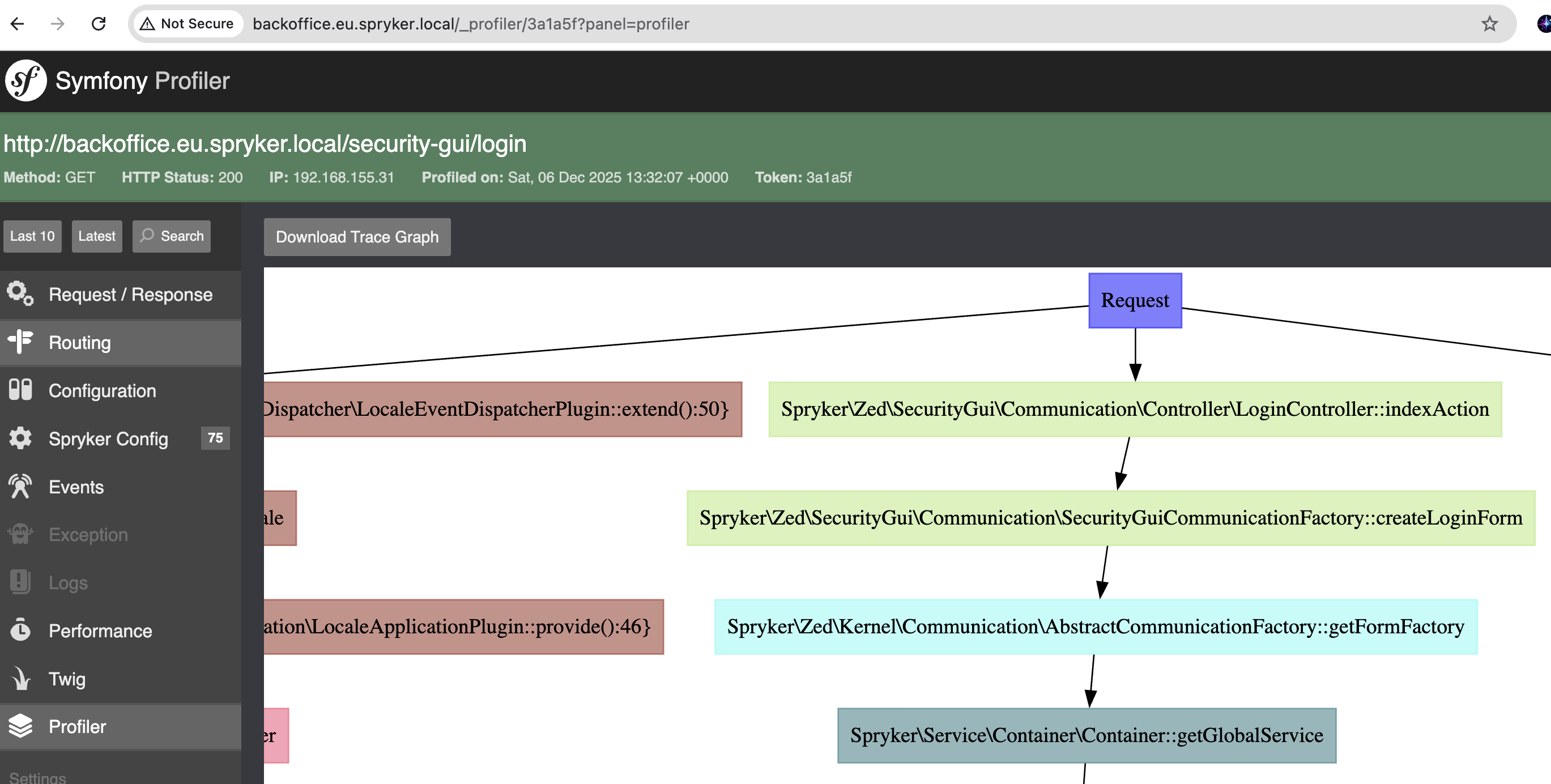
If the xhprof extension is enabled and the Profiler module is integrated, the Web Profiler also includes detailed performance profiling data through XHProf. This provides function-level performance analysis and call graphs.
For information on integrating the Profiler module, see Integrate Profiler Module.
Thank you!
For submitting the form